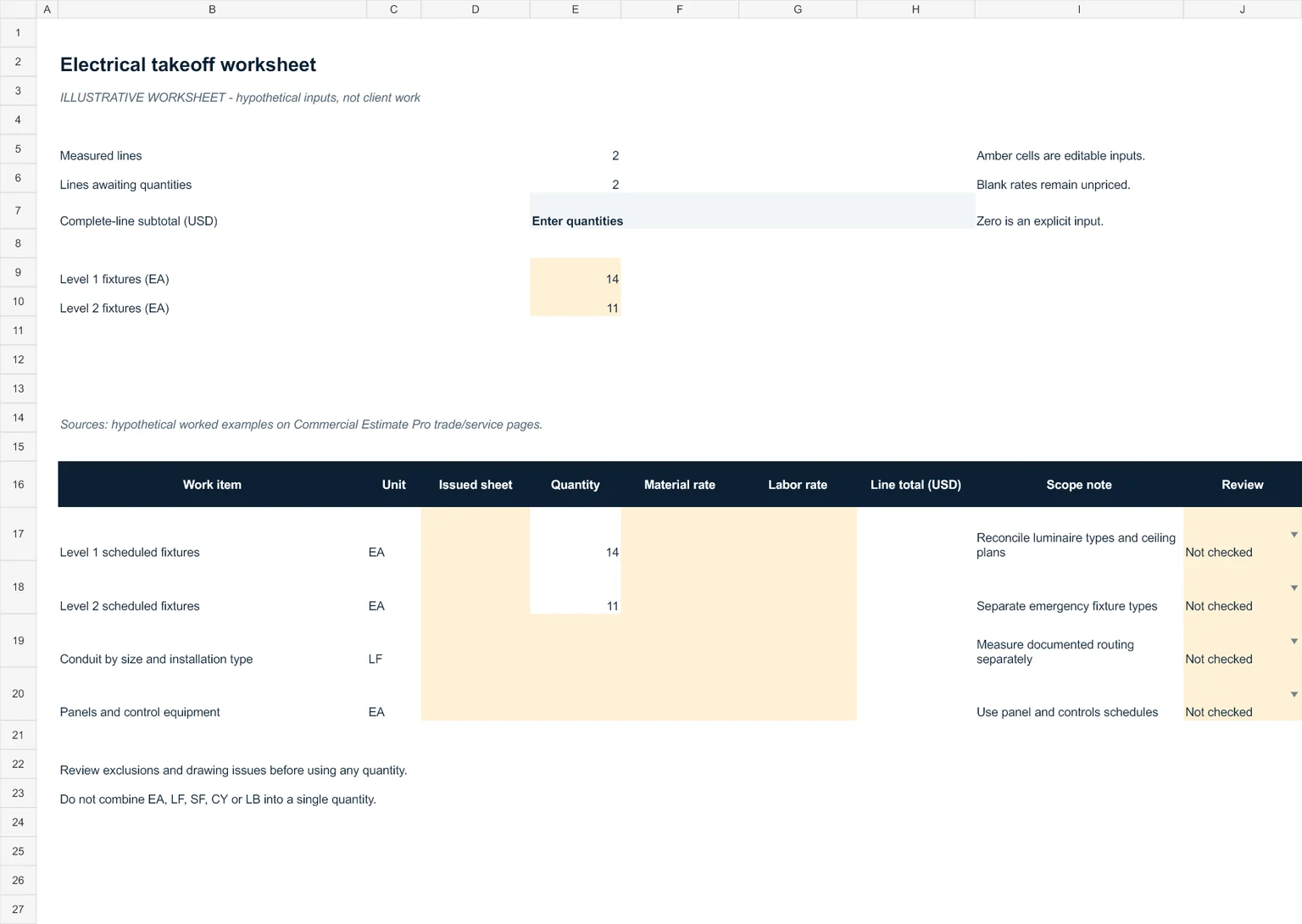
Worked quantity example
14 fixtures on Level 1 plus 11 on Level 2 equals 25 EA. This count does not establish circuits, homeruns, control devices or conduit lengths.
Record fixture types before combining counts
The 25 EA example is a reconciliation count. Preserve the Level 1 and Level 2 rows, and divide them further by fixture designation when the issued schedule requires it. A total count cannot distinguish emergency fixtures, mounting methods or different specifications.
Compare the luminaire schedule with reflected-ceiling and electrical plans. If tags or counts disagree, record the sheet reference and an open question. A missing fixture tag should remain unresolved until the project team clarifies it.
Keep measurement and pricing decisions traceable
Measure conduit in linear feet under the documented routing and size basis. Count panels and control equipment separately. Record conduit fittings, supports, terminations and access requirements where the contract places them in the electrical scope.
Apply a rate only after the assembly, unit and inclusions are defined. The worksheet leaves prices blank and identifies unfinished quantity inputs. It does not infer a labor rate, productivity factor or circuit design.
Drawing inputs to confirm
- Electrical floor plans and reflected ceiling plans
- Luminaire, panel and equipment schedules
- Risers, specifications and bid addenda
Checks before applying a rate
- Reconcile fixture tags between schedules and plans
- Separate power, controls, low-voltage and fire-alarm scope
- Confirm conduit diameter, routing and measurement rules
- Record unresolved circuit and homerun information
What the worksheet can and cannot establish
Fixture counts do not establish installation cost or an engineered circuit design. Unit rates are blank and require project-specific input.
Enter project-specific quantities, sheet references and rates in the amber input cells. Quantity formulas remain live. The line cost requires numeric quantity, material rate and labor rate; the subtotal identifies missing inputs instead of presenting an incomplete scope as a completed price.
Review comments and document references are editable. Confirmation in the drawing register records your own review and does not imply company signoff. The published example has no supplied client drawing set or named expert review.